
The design of the Digital Lifebook
In the proceeding section the structure of the Digital Lifebook, including the separate components, will be explained and demonstrated via an example:
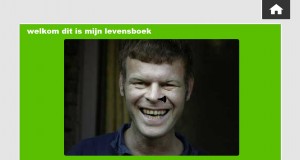
Welcome page: Each digital lifebook begins with a ‘welcome’ page. On this page you see and hear who the lifebook belongs to and what it contains.
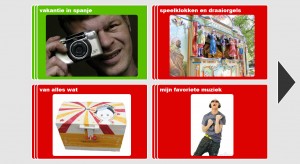
Chapter menu: After the welcome page you will proceed to the main chapter menu where each chapter is represented with an image, chosen by the client. It is possible to customize the number of chapters that are displayed per menu page. Each chapter can contain any combination of three different types of content page.

A photo page: The image can also include an accompanying audio description.
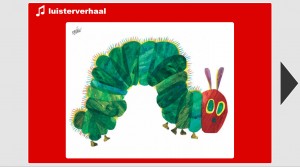
A sound page: You see an image (picture or photo) with the option of an accompanying audio description. If the image is then selected, an audio-recording is automatically played, such as a story or a piece of music.
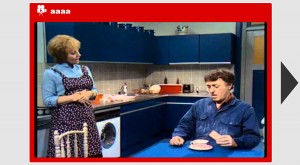
A video page: You see an image (picture or photo) with the option of an accompanying audio description. If the image is then selected, a video clip is automatically played, such as a YouTube clip or a personal video.